
Introduction
Many businesses already use WhatsApp to speak with customers, but managing hundreds of enquiries, order updates and follow-ups through a regular WhatsApp account can become difficult. Messages get missed, employees handle the same enquiries repeatedly, and there is no convenient way to connect conversations with existing business software.
The WhatsApp Official API addresses these operational challenges by allowing businesses to connect WhatsApp with CRM systems, websites, applications, chatbots and customer support platforms. Instead of depending on one employee to manage every conversation, businesses can build structured messaging workflows and allow multiple team members to handle customer interactions.
For companies planning to expand their customer communication, understanding how the WhatsApp Official API works is important. This guide explains its features, setup process, industry applications and what to consider when selecting an official API provider.
What Is the WhatsApp Official API?
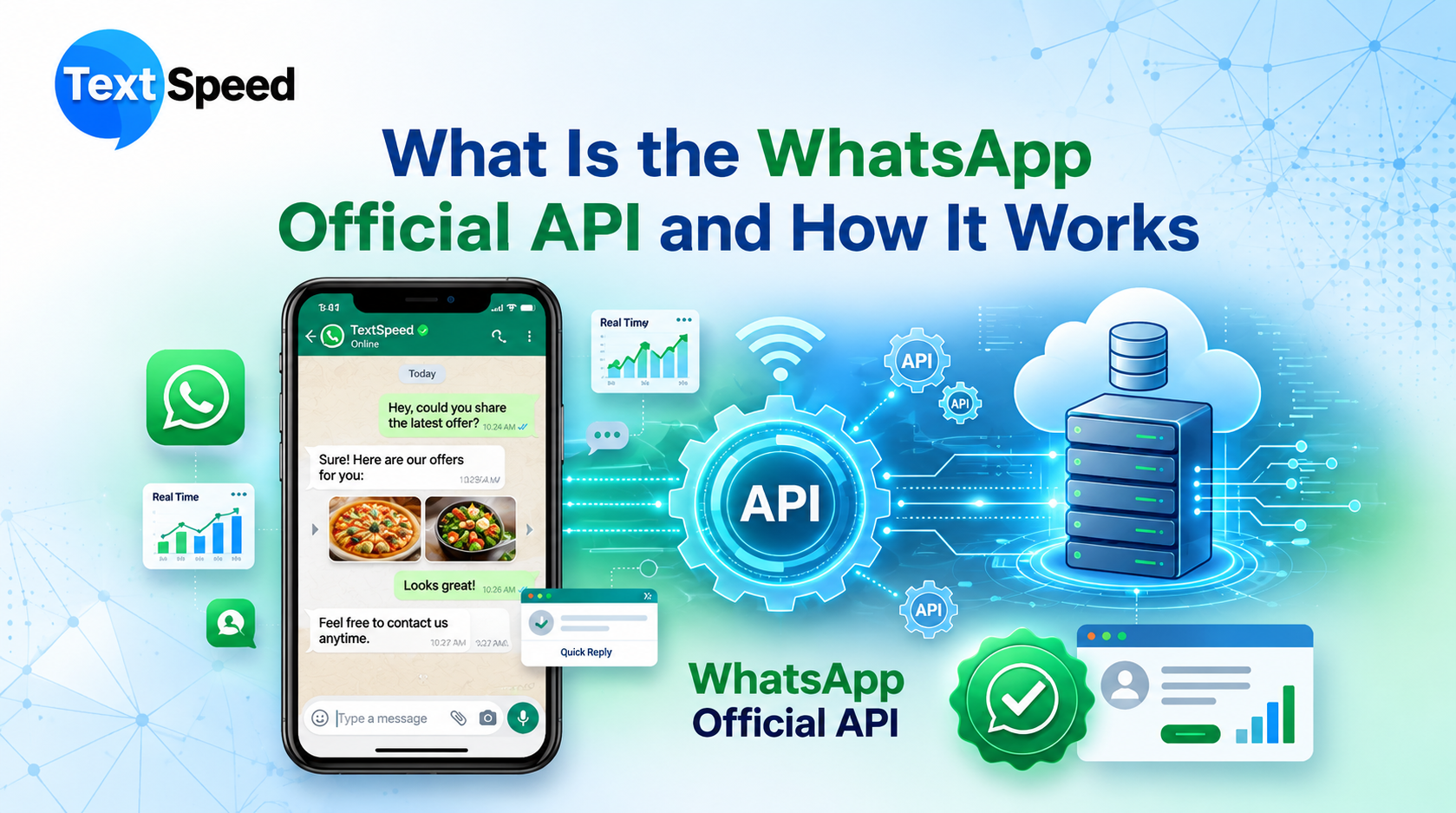
The WhatsApp Official API, commonly known as the WhatsApp Business Platform, is Meta's official business messaging solution for organisations that need to communicate with customers through integrated software. It allows businesses to send approved messages, receive customer enquiries, automate conversations and connect WhatsApp with other business systems. Unlike the regular WhatsApp application, it is accessed through an API-enabled platform rather than a standalone messaging app.
How Does the WhatsApp Official API Work?
The WhatsApp Official API connects a business's communication system with WhatsApp's messaging infrastructure. When a customer interacts with a business, the connected platform processes the message and makes it available to the appropriate application, chatbot or support agent.
Consider an online store that wants to automatically send order confirmations.
Here is how the process works:
Step 1: Register your business
The business creates or uses an eligible Meta Business Portfolio and completes the required verification and WhatsApp Business Platform onboarding.
Step 2: Register a business phone number
A suitable phone number is connected to the WhatsApp Business Platform. The number must meet Meta's registration requirements.
Step 3: Connect the API through a provider
The API is configured through Meta's platform or an appropriate business solution provider, such as Textspeed. The provider offers the software and tools needed to manage messaging.
Step 4: Create message templates
Businesses prepare message templates for notifications and business-initiated conversations. These templates must receive the required Meta approval before use.
Step 5: Integrate with business applications
Connect WhatsApp with your CRM, website, e-commerce platform, ERP or internal application using APIs and supported integrations.
Step 6: Start customer communication
Once the setup is complete, businesses can send eligible notifications, respond to incoming messages, operate chatbot workflows and manage conversations through their connected platform.
Example:
Customer places an order → E-commerce system records the purchase → API triggers a WhatsApp notification → Customer receives order confirmation.
The same process can be configured for appointment reminders, payment updates, delivery notifications and customer enquiries.
What Are the Main Features of the WhatsApp Official API?
The API offers more than the ability to send and receive text messages. Its features can support several stages of customer communication.
1. Automated Business Messaging
Businesses can trigger WhatsApp messages based on customer actions or events in their applications.
For example:
-
An order confirmation after checkout.
-
An appointment reminder before a scheduled visit.
-
A payment update after a transaction.
-
A registration confirmation after form submission.
This removes the need for employees to prepare every notification manually.
2. Approved WhatsApp Message Templates
Templates allow businesses to initiate eligible conversations and send structured notifications.
A template can contain:
-
Personalised text variables.
-
Images and other supported media.
-
Call-to-action buttons.
-
Quick reply buttons.
-
Relevant business information.
For example, a delivery notification can include the customer's name, order reference and a button to track the shipment.
Templates are subject to Meta's approval and applicable messaging policies.
3. WhatsApp Chatbot Integration
Businesses can connect chatbots to handle common questions and guide customers through predefined workflows.
A customer visiting a travel company's WhatsApp number might select:
-
View available packages.
-
Check booking information.
-
Request pricing.
-
Speak with a travel consultant.
The chatbot can collect the necessary details before transferring the conversation to an appropriate employee.
Explore: WhatsApp Chatbot Solutions
4. Multiple Agent Access
A business may have separate sales, customer support and service teams. Managing all enquiries through one person's phone is not practical as the business grows.
With an API-connected shared inbox, multiple authorised agents can manage conversations using one business number, subject to the platform's configuration.
This helps teams organise enquiries, assign responsibilities and maintain conversation history.
5. CRM and Business Application Integration
The API can connect WhatsApp communication with existing business software.
Common integration possibilities include:
-
Customer Relationship Management (CRM) systems.
-
Enterprise Resource Planning (ERP) software.
-
E-commerce platforms.
-
Websites and lead forms.
-
Payment systems.
-
Helpdesk applications.
-
Custom business applications.
For example, when a new lead submits an enquiry form, the connected system can initiate an appropriate WhatsApp workflow and make the enquiry available to the sales team.
6. WhatsApp Broadcast Campaigns
Businesses can send approved marketing messages to eligible customers who have opted in to receive communication.
This is useful for product announcements, new arrivals, promotional offers and event updates.
Broadcast campaigns must follow Meta's template, consent, messaging and quality requirements.
Explore: WhatsApp Broadcast Services
7. Interactive and Rich Media Communication
The WhatsApp Business Platform supports different message formats, depending on the available capabilities and approved templates.
Businesses can use:
-
Product images.
-
Videos.
-
PDF documents.
-
Product catalogues.
-
Interactive buttons.
-
Location information.
For example, a real estate company can share a property brochure and invite the customer to request a site visit directly through a message interaction.
What Are the Benefits of Using the WhatsApp Official API?
The main advantage is that WhatsApp becomes part of the business's existing communication process instead of remaining an isolated messaging account.
Here are some practical benefits.
1. Handle More Customer Enquiries
Businesses can organise incoming conversations and use automation to manage frequently asked questions before involving a human representative.
2. Reduce Manual Follow-Ups
Automated workflows can send reminders, confirmations and relevant updates based on customer activities.
3. Keep Sales Conversations Organised
Connecting WhatsApp with CRM software helps sales teams manage enquiries, track follow-ups and maintain customer information.
4. Improve Customer Support Coordination
A shared inbox makes it easier for authorised team members to handle conversations and direct enquiries to the right department.
5. Send More Relevant Communication
Businesses can organise customers according to their enquiries, preferences and previous interactions, then send relevant approved messages.
6. Connect Existing Business Systems
API integration helps businesses connect communication with applications they already use instead of maintaining completely separate processes.
7. Manage Communication as the Business Grows
Businesses can expand their messaging workflows, automation and team access according to their operational requirements and Meta's applicable limits.
How Is the WhatsApp Official API Used Across Different Industries?
The practical use of WhatsApp depends on how a business interacts with its customers. A property company, online retailer and healthcare provider will not need the same messaging workflow.
Here are industry-specific applications that businesses can implement.
1. E-commerce and Online Retail
An e-commerce business needs to keep customers informed from the moment an order is placed until the product reaches their doorstep.
Using the WhatsApp Official API for e-commerce businesses, retailers can send order confirmations, shipping notifications, delivery updates and product-related information.
For example, an online clothing store can send an order confirmation with product details and later share a dispatch notification with tracking information.
2. Healthcare and Hospitals
Hospitals, clinics and diagnostic centres manage appointments, patient enquiries and service-related communication every day.
A WhatsApp API for healthcare providers can support appointment confirmations, consultation reminders, general service enquiries and diagnostic appointment updates.
For example, a diagnostic centre can send a booking confirmation and remind the patient about the scheduled appointment.
Businesses must handle patient information carefully and follow applicable healthcare privacy and data-protection requirements.
3. Real Estate and Property Management
Real estate companies receive enquiries from buyers, investors and people searching for rental properties.
A WhatsApp API for real estate businesses can help collect property requirements, share brochures, answer project-related questions and coordinate site visits.
For example, when someone enquires about a residential project, an automated workflow can collect their preferred location, budget range and property type before assigning the enquiry to a sales executive.
4. Education and Training Institutions
Educational institutions receive enquiries about admissions, courses, fees, examinations and registration deadlines.
A WhatsApp API for educational institutions can organise these enquiries and send relevant course information, application updates and admission reminders.
For example, a training institute can collect a student's course preference through an automated conversation and forward the details to its admission team.
5. Banking and Financial Services
Financial organisations need structured communication for customer notifications, service enquiries and account-related interactions.
A WhatsApp API for banking and financial services can support appropriate transaction notifications, customer service workflows and eligible verification communication.
For example, a financial service provider can send an approved notification about a completed service request.
Financial organisations should apply suitable security controls and follow applicable financial-sector regulations and Meta policies. Sensitive authentication information should be handled through appropriate secure workflows.
6. Logistics and Transportation
Logistics companies handle shipment bookings, delivery schedules, tracking enquiries and customer updates.
A WhatsApp API for logistics companies can support shipment confirmations, dispatch notifications, delivery updates and customer support conversations.
For example, when a parcel is dispatched, the logistics system can trigger a WhatsApp update containing the shipment reference and tracking link.
What Challenges Do Businesses Face When Using the WhatsApp Official API?
The API provides useful capabilities, but businesses need to plan the implementation correctly.
| Common challenge | Practical solution |
|---|---|
| Complicated onboarding | Work with a provider that guides you through Meta account setup and number registration. |
| Template rejection | Prepare relevant templates that follow Meta's messaging and formatting policies. |
| Unorganised customer enquiries | Configure a shared inbox and suitable conversation assignment rules. |
| Delayed responses | Use chatbots for routine questions and provide a clear route to human support. |
| Difficult CRM integration | Check API documentation, webhooks and integration compatibility before implementation. |
| Unexpected messaging expenses | Understand Meta's applicable pricing and the provider's platform charges. |
| Customer complaints or blocks | Obtain appropriate opt-in, send relevant messages and respect opt-out requests. |
Why Is the 24-Hour Customer Service Window Important?
WhatsApp has specific rules governing how businesses can communicate with customers.
When a customer sends a message to a business, a 24-hour customer service window opens or resets from that interaction.
During this window, businesses can send eligible free-form replies. Outside the window, business-initiated messages generally require approved templates.
Businesses must also obtain the appropriate customer consent before initiating messages and follow the applicable WhatsApp Business Messaging Policy.
Understanding this rule helps businesses plan support conversations, automated follow-ups and notification campaigns correctly.
How Do You Choose the Right WhatsApp Official API Provider?
Selecting a provider is an important decision because the platform will become part of your customer communication process.
Before onboarding, evaluate these points:
1. Verify the official platform access
Confirm that the provider offers access through Meta's official WhatsApp Business Platform rather than unofficial bulk messaging software.
2. Check onboarding assistance
Ask whether the provider helps with business verification, phone number registration, display-name approval and template setup.
3. Review chatbot capabilities
If you receive frequent customer enquiries, check whether the provider supports chatbot workflows, automated responses and human-agent transfers.
4. Evaluate API documentation
Developers should be able to understand the available endpoints, authentication methods, webhooks and integration procedures.
5. Check team management features
If several employees handle customer conversations, evaluate agent access, conversation assignment, permissions and reporting.
6. Understand pricing
Ask for a breakdown of applicable Meta messaging charges, provider fees, subscription costs and additional integration expenses.
7. Check customer support
Choose a provider that can assist with onboarding, technical issues and ongoing platform requirements.
Why Choose Textspeed for the WhatsApp Official API?
For businesses that want to connect WhatsApp with their sales, marketing and customer support operations, Textspeed offers a WhatsApp Business API platform with automation and integration capabilities.
Textspeed Technology Private Limited provides communication solutions designed for businesses that need more organised customer interactions.
What Can Businesses Do with Textspeed?
WhatsApp Business API Integration
Connect WhatsApp communication with business applications, CRM platforms, websites and other supported systems.
Automated Customer Conversations
Configure chatbot workflows to respond to common questions, collect enquiry details and direct customers to the appropriate department.
WhatsApp Broadcast Campaigns
Organise approved customer communication for product updates, promotional announcements and business notifications.
Shared Team Inbox
Allow sales and support teams to manage customer conversations through a shared communication environment with available agent management capabilities.
CRM and Business Integrations
Connect customer communication with CRM, ERP, HRM, websites, lead forms and supported business applications.
Multiple Communication Channels
Textspeed also offers services beyond WhatsApp, including:
-
Bulk SMS for promotional and transactional communication.
-
RCS messaging for rich business communication.
-
Voice calls and automated voice notifications.
-
Email marketing and transactional email.
This broader CPaaS offering is useful for businesses that want to manage different customer communication requirements through a connected platform.
Explore the service: https://textspeed.in/platform/whatsapp/whatsapp-business-api
A Practical Example of WhatsApp API with Textspeed
Consider a company receiving enquiries through its website, advertisements and existing customers.
Without an organised messaging workflow, the sales team may need to check different enquiry sources, contact customers manually and maintain follow-up records separately.
With a suitable Textspeed WhatsApp API integration, the business can create a more structured process:
-
A potential customer submits an enquiry.
-
The connected system initiates an appropriate WhatsApp conversation.
-
An automated workflow collects the customer's requirement.
-
The enquiry is routed to the relevant sales team.
-
The team continues the conversation and records the follow-up.
This approach connects lead generation and customer communication rather than treating them as separate activities.
Looking to integrate WhatsApp into your business operations?
Explore Textspeed's WhatsApp Business API platform and discuss your automation, integration and messaging requirements with the team.
Frequently Asked Questions About the WhatsApp Official API
1. Is the WhatsApp Official API free?
Access to the WhatsApp Business Platform does not mean all messaging is free. Businesses may incur Meta messaging charges depending on the applicable message category and destination, along with any provider subscription or platform fees. Request a complete pricing breakdown before onboarding.
2. What is the difference between WhatsApp Business App and WhatsApp Official API?
The WhatsApp Business App is designed for businesses managing conversations through an application. The WhatsApp Business Platform provides API access for software integrations, automated workflows, chatbots and team-based communication through a connected provider platform.
3. Can small businesses use the WhatsApp Official API?
Yes. Eligible small businesses can use the WhatsApp Business Platform if they meet the applicable onboarding requirements. It can be useful when a business needs CRM integration, automated notifications, structured customer support or more advanced communication workflows.
4. Can I integrate the WhatsApp Official API with my CRM?
Yes. Businesses can connect WhatsApp with compatible CRM systems using APIs, webhooks or supported integrations. This can help sales teams manage customer enquiries, maintain interaction records and trigger suitable follow-up workflows.
5. Can I send bulk messages using the WhatsApp Official API?
Businesses can send approved template messages to customers who have provided the required opt-in consent. However, WhatsApp is not an unrestricted bulk messaging channel. Campaigns must follow applicable template, quality and messaging policies.
6. How long does it take to activate the WhatsApp Official API?
Activation time depends on business verification, phone number registration, display-name approval and onboarding requirements. A provider can guide the process, but businesses should confirm the expected timeline based on their documentation and Meta's approval process.
7. How can I get the WhatsApp Official API for my business in India?
You can apply through an eligible WhatsApp Business Solution Provider or use Meta's supported onboarding process. You will need to prepare the required business information, complete the applicable verification and register your business phone number before configuring messaging.
Conclusion: Make WhatsApp Part of Your Business Communication
The WhatsApp Official API gives businesses a way to connect customer conversations with their everyday operations. From order notifications and appointment reminders to lead qualification and customer support, it can support different communication requirements when implemented correctly.
However, the real value comes from how the API is configured. Businesses should consider their customer journey, automation requirements, integration needs, messaging policies and support arrangements before selecting a provider.
For companies looking beyond manual WhatsApp messaging, Textspeed offers API integration, chatbot automation, broadcasts and a wider communication platform covering SMS, RCS, Voice and Email.
Written by WhatsApp API Expert
Telecom & CPaaS Technical Specialists · Reviewed for AccuracyOur content is authored by enterprise communications specialists and strictly reviewed for technical accuracy, regulatory compliance (TRAI/DLT), and industry best practices. Read our Editorial Policy to learn how we maintain trust.