
Introduction
Mobile messaging isn’t what it used to be. Years ago, sending a simple text message felt revolutionary. Today, people expect far more from their conversations—high-quality photos, videos, typing indicators, read receipts, and smooth group chats. That’s exactly where RCS Chat comes in.
Rich Communication Services (RCS) is the next generation of messaging. Instead of downloading a separate app, RCS upgrades the experience right inside your phone’s default messaging app. On most modern Android devices, it transforms ordinary texting into something much closer to apps like WhatsApp or Messenger.
What Is RCS Chat?
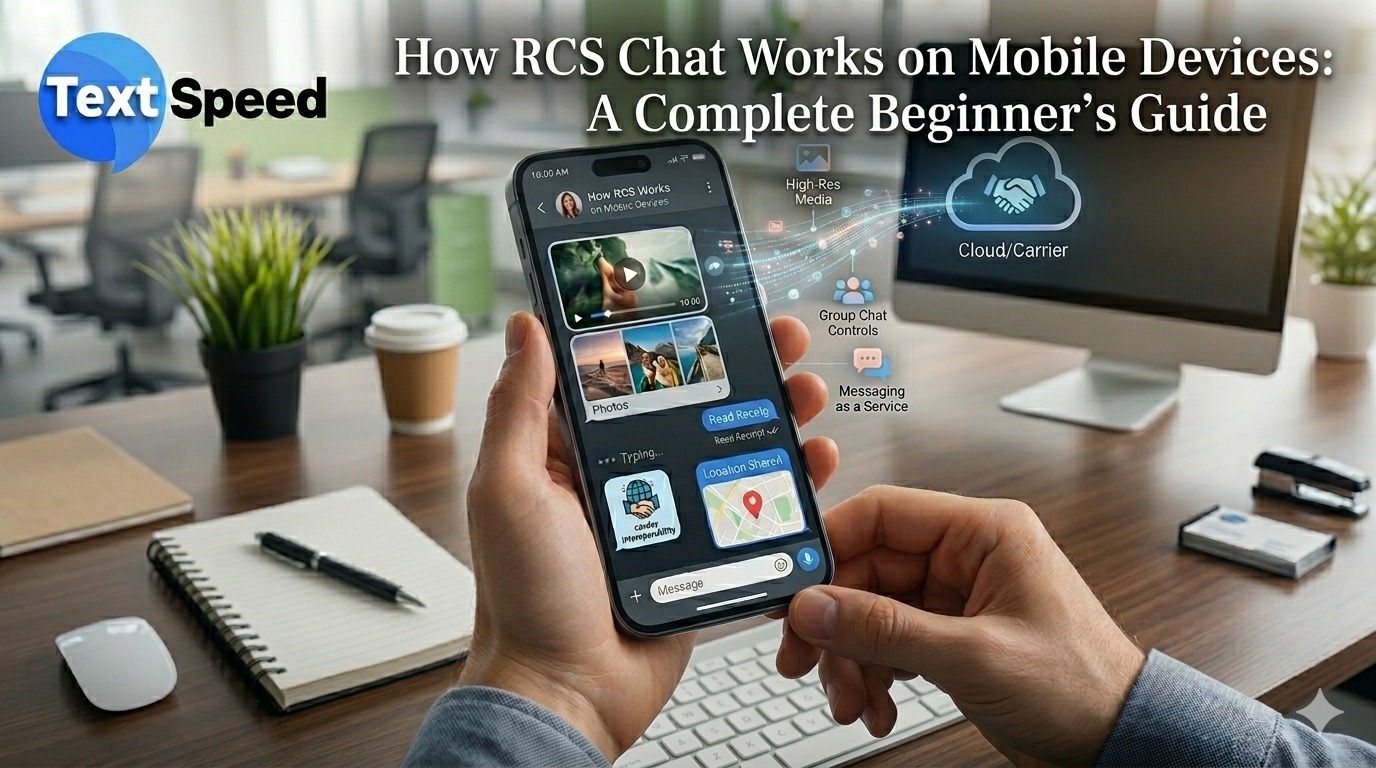
RCS Chat is a new messaging standard designed to replace traditional SMS and MMS. Unlike old-style text messaging, it works through an internet connection, allowing you to send richer and more interactive messages.
The biggest advantage? You don’t need to install another app. If your phone and carrier support it, RCS Chat works directly inside your usual messaging app.
With RCS Chat, you can:
- Send high-quality images and videos
- See when someone has read your message
- Know when the other person is typing
- Create better group chats
- Share files easily
- Interact with buttons, links, and rich message cards
In short, RCS Chat makes texting feel modern.
How Does RCS Chat Work?
When you send a message, the process is simple:
You type your message in the default messaging app.
Your phone checks whether the other person also supports RCS Chat.
If both devices support it, the message is sent over the internet using Wi?Fi or mobile data.
If the other person doesn’t support RCS, the message automatically switches to regular SMS or MMS.
This automatic fallback is useful because it means your message will still be delivered, even if the other person is using an older phone or doesn’t have RCS enabled.
What You Need to Use RCS Chat
Before you can use RCS Chat, a few things need to be in place.
1. A Supported Phone
Most modern Android smartphones support RCS Chat. However, the exact features available may depend on your phone brand and software version.
2. An Internet Connection
Unlike SMS, RCS Chat requires an internet connection. You can use:
- Wi?Fi
- Mobile data
Without one of these, your messages will usually be sent as standard SMS instead.
3. A Compatible Messaging App
Many Android phones already include a messaging app that supports RCS Chat. If your app is updated and compatible, you may only need to turn the feature on.
4. Carrier Support
Some mobile carriers automatically enable RCS Chat, while others require you to activate it manually in your messaging settings.
Main Features of RCS Chat
RCS Chat offers several features that make messaging more useful and enjoyable.
Read Receipts
You can see when someone has opened and read your message.
Typing Indicators
When the other person is replying, you’ll see a typing notification.
High-Quality Photos and Videos
Unlike MMS, which often reduces image quality, RCS Chat lets you send sharper photos and clearer videos.
Better Group Chats
RCS Chat supports modern group conversations with easier management and smoother interaction.
Rich Business Messaging
Businesses can use RCS Chat to send appointment reminders, delivery updates, product images, payment links, and interactive buttons.
For example, instead of receiving a plain delivery text, you could receive a message with:
- A product image
- A “Track Package” button
- Delivery status updates
SMS still works on almost every phone, but RCS Chat offers a much richer and more modern experience.
Why Businesses Are Interested in RCS Chat
Businesses are beginning to use RCS Chat because it helps them communicate in a more interactive and engaging way.
Instead of sending plain text messages, companies can:
- Share product images and offers
- Add buttons to confirm appointments
- Send order tracking updates
- Offer customer support through interactive replies
This makes communication feel more personal and useful, while also increasing customer engagement.
Common Problems With RCS Chat
Although RCS Chat is powerful, you may occasionally run into issues.
Common problems include:
- RCS not activating on your phone
- Weak internet connection stopping messages
- Your carrier not supporting the service
- Different messaging apps creating compatibility issues
Most of the time, these problems can be solved by:
- Updating your messaging app
- Restarting your phone
- Checking your internet connection
- Enabling RCS in your settings
Is RCS Chat Secure?
RCS Chat is generally more secure than SMS because it uses internet-based messaging. Some apps and carriers also provide extra encryption and privacy features.
However, the level of security depends on:
- The messaging app you use
- Your carrier
- Your device and software version
To stay protected, always keep your phone and messaging app updated.
The Future of RCS Chat
RCS Chat continues to grow as more mobile devices and carriers support it. Over time, it could replace SMS completely.
Future improvements may include:
- Stronger privacy and encryption
- Better support across multiple devices
- More advanced business messaging
- AI-powered chatbots and smart replies
As people continue to expect richer and faster communication, RCS Chat is likely to become the new standard for mobile messaging.
Conclusion
RCS Chat is changing the way people communicate on mobile devices. It keeps the simplicity of SMS while adding the smart features users expect today—high-quality media, typing indicators, read receipts, and advanced group chats.
For beginners, understanding how RCS Chat works is the first step toward a better messaging experience. As support continues to expand, RCS Chat will become an essential part of everyday communication.
FAQs
Q1. What does RCS Chat stand for?
RCS Chat stands for Rich Communication Services Chat.
Q2. Does RCS Chat work without internet?
No. You need either Wi?Fi or mobile data.
Q3. Can RCS Chat send photos and videos?
Yes. RCS Chat supports high-quality images and videos.
Q4. Is RCS Chat available on all phones?
It is mainly available on supported Android devices.
Q5. What happens if the other person doesn’t have RCS Chat?
Your message automatically switches to SMS or MMS.
Written by Textspeed
Telecom & CPaaS Technical Specialists · Reviewed for AccuracyOur content is authored by enterprise communications specialists and strictly reviewed for technical accuracy, regulatory compliance (TRAI/DLT), and industry best practices. Read our Editorial Policy to learn how we maintain trust.